VDSL on SportyHQ
Log In
There a few things you can view on the VDSL pages on SportyHQ without logging in. But, to be able to access the majority of league functions, including the schedule, you must first log in to SportyHQ.
However, for the site to function properly, Javascript must be enabled in your browser. So, please ensure you allow all the SportyHQ reqquested Javascript in your browser of choice.
All access is through each player's individual SportyHQ account. If you do not yet have a SportyHQ account, please visit the site and set one up — it is free. If you already have an account please do not create a second one. Tends to mess things up.
- access the VDSL on SportyHQ at:
https://www.sportyhq.com/league/view/Vancouver-Ladies-Doubles-League
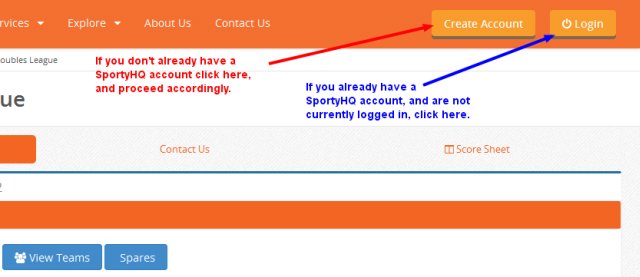
(You should likely bookmark this link.) - on the header click the
Loginbutton
- add your Email/Username & Password and click
Login
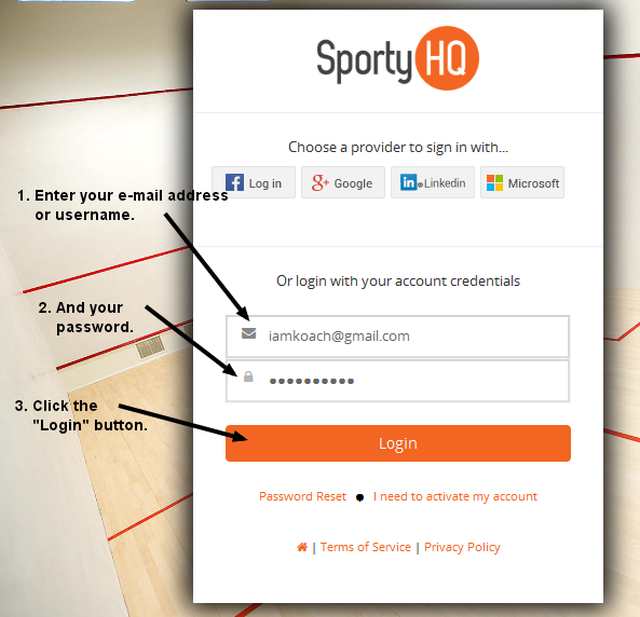
If you have forgotten your password, click Password Reset just below the Login button.
Once you complete logging in, the Vancouver Doubles League page should be displayed.
Finding Vancouver Doubles Squash League (VDSL) on SHQ
If you logged in from the main SportyHQ page, you should be on your SHQ home page. If not, click the "dashboard" icon in the SportyHQ header.
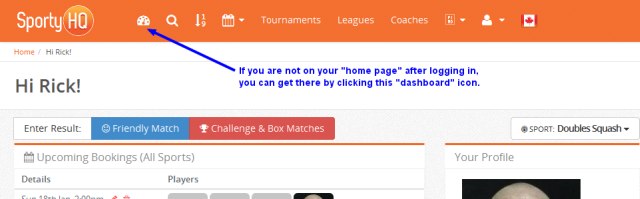
On your SHQ home page you will see your court bookings if your club subscribes to SHQ.
Scroll down to "Quick Links".
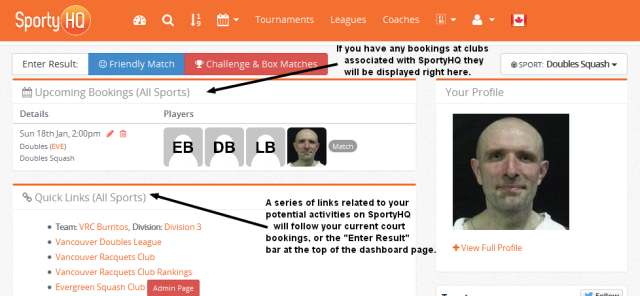
Click on "Vancouver Doubles League". (VDL includes Ladies Doubles and Vancouver Doubles Squash League).
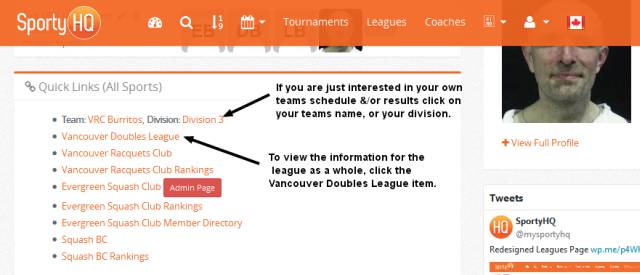
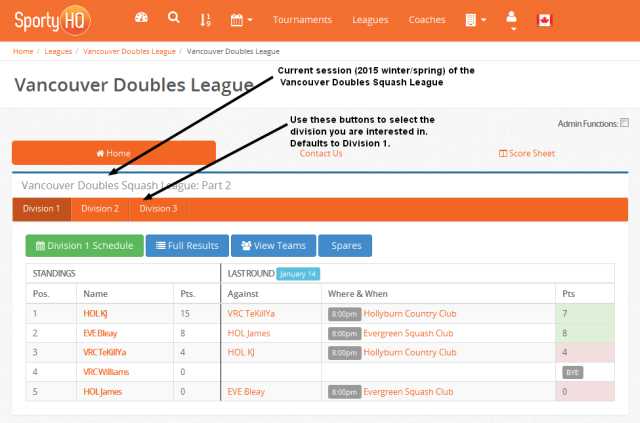
The VDL page has Vancouver Doubles Squash League:Part 2. (That is the current session.) The Ladies Doubles League is below that.
There is a banner with Division 1, 2, and 3 for VDSL.
It defaults to Division 1.
For Division 2 or 3 click on the appropriate button.